The Hidden Problem Slowing Down Your Website Growth
You publish content.
You optimize your pages.
You improve your SEO structure.
But still, something feels off.
Traffic is slow to grow.
Visitors leave quickly.
Rankings move… but not as fast as you expected.
This is one of the most common hidden problems in modern SEO.
Website loading speed.
Many website owners think speed is just a technical detail.
In reality, it directly impacts:
-
Google rankings
-
User experience
-
Bounce rate
-
Engagement
-
Conversions
-
Trust
A slow website quietly kills growth.
Even if your SEO is strong.
Even if your content is excellent.
Google wants to show users fast, smooth, and stable websites.
If your site feels heavy or slow, it sends negative signals.
In this deep guide, you’ll learn exactly how to improve website loading speed, what slows sites down, and how modern technical fixes can create real ranking improvements.
Why Website Speed Matters More Than Ever
Years ago, speed was just a bonus.
Today, it’s a confirmed ranking factor.
Google prioritizes websites that deliver a smooth and fast experience.
But speed doesn’t just affect rankings.
It affects behavior.
When a page loads slowly:
-
Visitors lose patience
-
They leave quickly
-
They don’t explore
-
They don’t convert
And Google notices these patterns.
Slow sites often struggle because:
-
Bounce rate increases
-
Time on site drops
-
Engagement weakens
All of these quietly damage SEO performance.
The 3-Second Rule: Where Most Visitors Disappear
Most users expect a website to load within 2–3 seconds.
If it takes longer:
-
Frustration builds
-
Trust drops
-
Visitors leave
People don’t wait anymore.
They simply click back and open another website.
Speed is not just technical.
It’s emotional.
Fast website = professional feeling
Slow website = risky feeling
And that emotional reaction affects conversions more than people realize.
How Google Measures Website Speed (Core Web Vitals)
Google now measures speed using real user experience signals called:
Core Web Vitals.
These focus on three key areas.
LCP — Largest Contentful Paint (Loading Speed)
Measures how fast the main content becomes visible.
If your hero image or top section loads slowly, LCP becomes poor.
FID — First Input Delay (Interaction Speed)
Measures how fast users can interact.
If someone clicks and nothing happens instantly, it creates frustration.
CLS — Cumulative Layout Shift (Visual Stability)
Measures layout movement.
If buttons move, images shift, or text jumps while loading, it feels unstable.
Simple Visual Explanation (Imagine This Diagram)
You can think of Core Web Vitals like this:
-
LCP = How fast users SEE the page
-
FID = How fast users CAN USE the page
-
CLS = How stable the page FEELS
When all three are strong, Google sees your site as high quality.
What Actually Makes a Website Slow
Most slow websites suffer from the same problems.
Heavy Images
Large images are one of the biggest performance killers.
High-quality images look beautiful.
But they silently increase load time.
Image Optimization: The Modern Approach (WebP & AVIF)
Today, simple compression is not enough.
Modern websites now use next-generation image formats:
-
WebP
-
AVIF
These formats can reduce image size by up to 60–80% while keeping quality almost identical.
This directly improves:
-
LCP score
-
Page load time
-
Mobile performance
In many technical SEO projects, converting images to WebP alone creates noticeable speed improvements.
Too Many Plugins
Especially on WordPress sites.
Each plugin adds:
-
Extra scripts
-
Extra requests
-
Extra processing
Too many plugins = slower site.
Hosting Quality & Server Location Matter More Than You Think
Many people focus only on hosting price.
But performance depends heavily on server quality and location.
Here’s something important:
If your audience is in Bangladesh
But your server is in the USA
Your site will naturally load slower.
Because data has to travel a longer distance.
This is where CDN becomes extremely powerful.
CDN (Cloudflare) and Why It’s Important
A CDN stores copies of your website in multiple global locations.
So visitors get data from the nearest server.
Result:
-
Faster loading
-
Better mobile performance
-
Improved Core Web Vitals
This is especially important for international websites.
Eliminating Render-Blocking Resources (Advanced Technical Fix)
This is one of the biggest hidden speed problems.
Many websites load heavy CSS and JavaScript before showing content.
This delays the page from appearing.
A smart fix is:
-
Deferring CSS & JavaScript
-
Loading non-essential files later
This allows the browser to:
Show the content first
Load heavy scripts after
Which improves:
-
Perceived speed
-
LCP performance
-
User experience
This is a deep technical fix that can create major improvements.
Quick Wins That Improve Speed Fast
Some improvements give fast results.
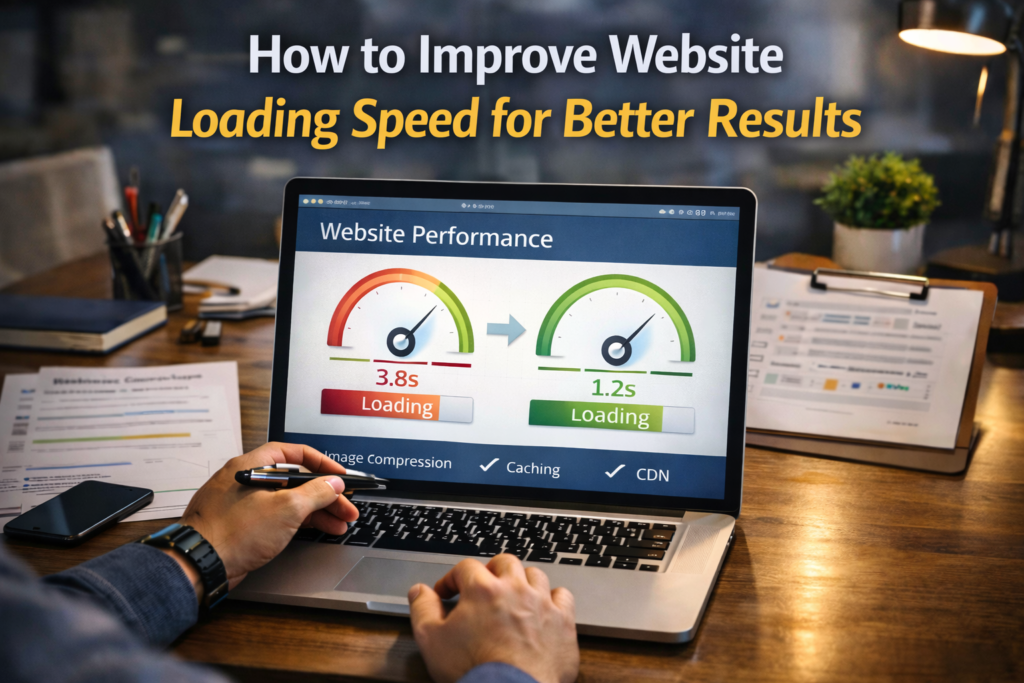
Image Compression + WebP Conversion
Smaller images = faster loading.
Lazy Loading
Images load only when users scroll down.
Browser Caching
Stores site data locally for returning visitors.
Using CDN
Faster global delivery.
Mobile vs Desktop Speed: Why Mobile Matters Most
Many websites show:
-
Desktop score: 90+
-
Mobile score: 30–40
This is very common.
But Google mainly looks at mobile performance.
Because most users browse from phones.
This means:
Mobile speed matters more than desktop.
Even if desktop is fast, poor mobile performance can affect rankings.
Why Mobile Speed Is Often Slower
Mobile devices have:
-
Slower processors
-
Slower internet
-
Smaller screens
Heavy websites feel even heavier on mobile.
So mobile optimization is critical.
Technical Fixes That Improve Speed Deeply
Beyond quick wins, deeper improvements include:
-
Minifying CSS & JavaScript
-
Reducing server response time
-
Limiting third-party scripts
-
Optimizing database performance
These create long-term stability.
How Site Structure Affects Speed
Messy site structures can slow down crawling and loading.
Examples:
-
Deep page hierarchy
-
Broken internal links
-
Duplicate scripts
Clean structure = faster processing.
The Balance Between Design and Performance
Beautiful websites often include:
-
Animations
-
Large visuals
-
Effects
But too much design can slow performance.
The goal is balance.
A fast, clean, professional experience.
Tools That Help Measure Website Speed
You don’t have to guess.
You can measure speed using:
-
Google PageSpeed Insights
-
GTmetrix
-
Lighthouse
These tools show:
-
Speed score
-
Problem areas
-
Fix suggestions
Why New Websites Often Feel Slow
New sites often use:
-
Heavy themes
-
Too many plugins
-
Poor optimization
As the site grows, performance tuning becomes important.
The Psychological Impact of Speed
Fast websites feel:
-
Reliable
-
Professional
-
Trustworthy
Slow websites feel:
-
Outdated
-
Unstable
-
Risky
This emotional reaction affects conversions deeply.
How Speed Supports SEO Growth
Fast websites often see:
-
Better engagement
-
Lower bounce rates
-
Stronger user signals
Which supports rankings naturally over time.
Common Speed Mistakes I Often See
During technical audits, I often find:
-
Large unoptimized images
-
No WebP usage
-
No CDN
-
Too many plugins
-
Render-blocking scripts
Fixing these can create noticeable improvements.
Speed Optimization Is Not a One-Time Task
Websites change over time.
New content.
New features.
New scripts.
Each change can affect performance.
Speed needs regular monitoring.
The Connection Between Speed and Authority
Fast websites feel stronger.
They feel trustworthy.
They create better user experiences.
And that supports:
-
Engagement
-
Exploration
-
Trust
Which builds long-term authority.
Final Thoughts: Speed Is a Foundation, Not Just a Feature
You can have:
-
Great content
-
Strong SEO
-
Backlinks
But if your website is slow, everything becomes harder.
Speed improves:
-
User experience
-
Rankings
-
Conversions
-
Trust
Conclusion
Improving website loading speed is one of the most powerful technical upgrades you can make.
It helps:
-
Pages load faster
-
Users stay longer
-
Rankings improve
-
Conversions increase
From WebP images to CDN usage, from Core Web Vitals to mobile performance — every small improvement adds up.
Speed is not just about performance. It’s about creating a smooth, reliable experience. And when users feel comfortable on your website, everything starts working better. That’s when SEO truly begins to show real, long-term results.